![logo--white-s-2.svg]](https://help.streamwork.com/hubfs/logo--white-s-2.svg)
What's new
Media-first layout
The asset now takes center stage. Panels open when you need them, giving you a clean, distraction-free canvas for focused review. You can pin any panel to keep it open if you prefer.
Floating inline comments
Click anywhere on the asset to drop a comment directly on it. Annotation and markup tools have moved to the left side of the viewer so they stay within reach without crowding the asset.
Hide comments
Hit the hide comments button at any time to see a clean version of the file without any markup or annotations visible.
Check off and resolve comments
Mark comments as complete as you work through feedback. Hide resolved comments to keep your to-do list clean and only show open items.
Keyboard shortcuts
Use keyboard shortcuts to open and close panels and select annotation tools without reaching for the mouse.
Copy comments across assets
Copy comments from one asset and paste them onto another version or related file.
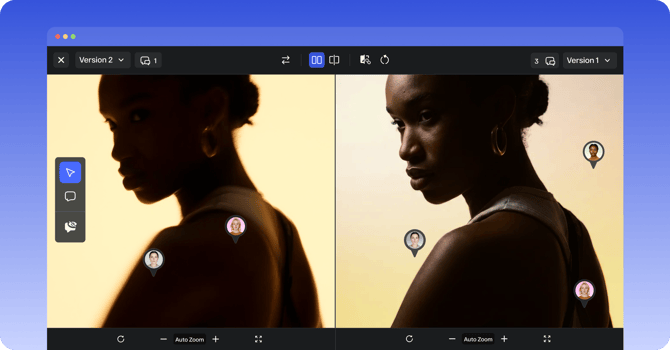
Side-by-side asset comparison
Compare two versions of a file side by side. Play videos in sync, mute audio tracks independently, and leave pinned comments in the comparison view.
AI-powered video transcription (Enterprise)
AI video transcription with speaker tracking and caption export is built directly into the approval workflow for Enterprise teams.
Refreshed mobile experience
The full review experience is now available on mobile, with the same clean, asset-first layout as desktop.
Guided walkthrough tour
When you open Media Viewer 2.0 for the first time, you'll see an in-app guided tour that walks you through every new feature.
Learn more about all the new features in our launch blog post!
Would you like our team to walk you through the latest features? Reach out to support@streamwork.com